
New Feature: Custom Hourly Rates for Time-Tracking Tasks

We’ve just added more flexibility for those of you who charge your clients by the hour. Starting today each time-tracking task category can have its own custom hourly rate.
By default Harpoon will continue to use your global hourly rate when adding recorded hours to an invoice. But you now have the added flexibility of setting a custom hourly rate for any of your time-tracking task categories. First visit your Time Tracking Settings screen.
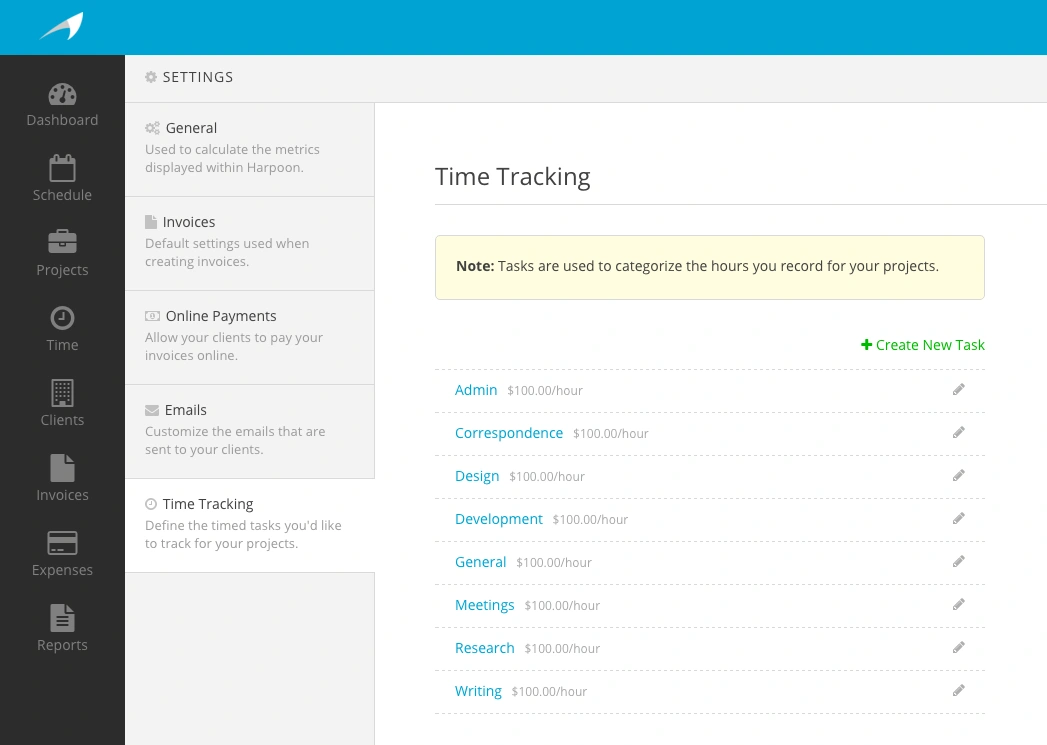
Here you’ll see a list of your time-tracking task categories. Editing a task category now allows you to change its hourly rate.
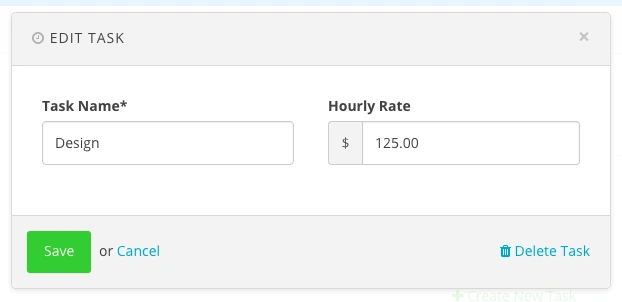
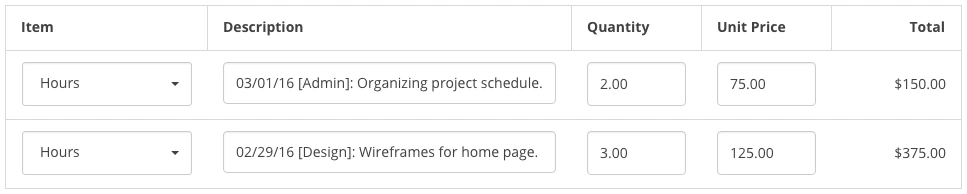
For example, you might charge more per hour for design tasks than you do for administrative tasks. You now have the flexibility to be granular on a per task basis. And when you add your recorded hours to an invoice you’ll see those hourly rates reflected on your invoice line items.
This added flexibility lays the groundwork for a handful of new time-tracking and billing features that are in the works. Until then enjoy customizing your tasks and rates!