
New Feature: Group Recorded Hours Entries on Invoices

A simple, but much requested update. When you add your recorded hours entries to an invoice you can now group together entries with the same task categories into single invoice line items. Here’s how it works:
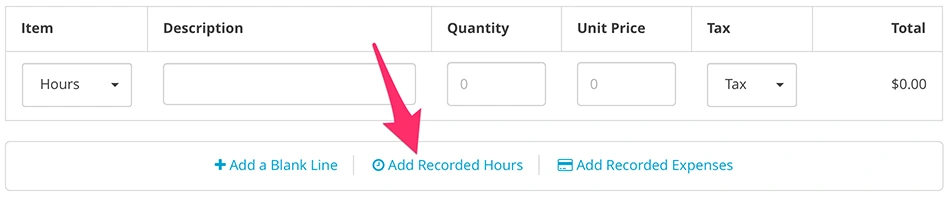
When creating or editing an invoice add your recorded hours as you normally would via the “Add Recorded Hours” action.
Select the hours you’d like to add to your invoice. At the bottom of your list of entries you’ll see a new option that allows you to group like entries together.
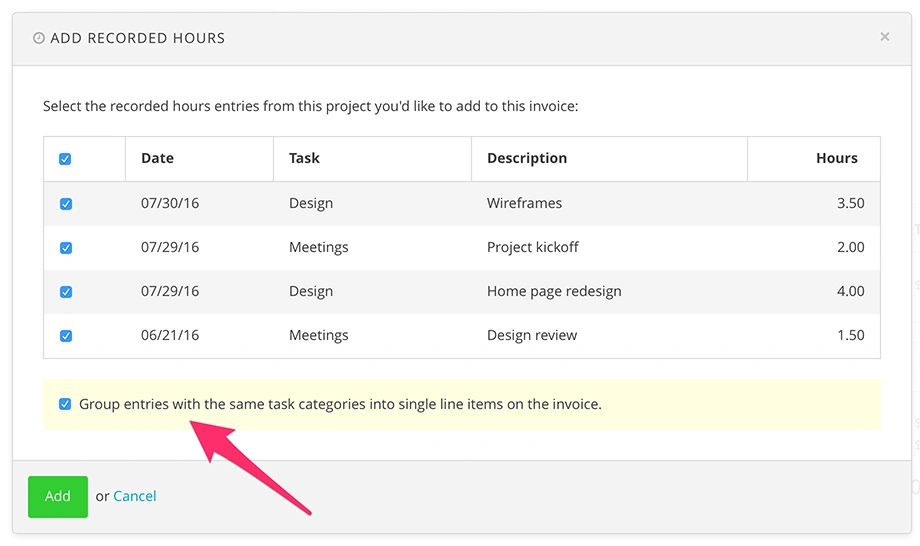
Checking this option will group together recorded hours entries that have the same task categories into single line items on your invoice.
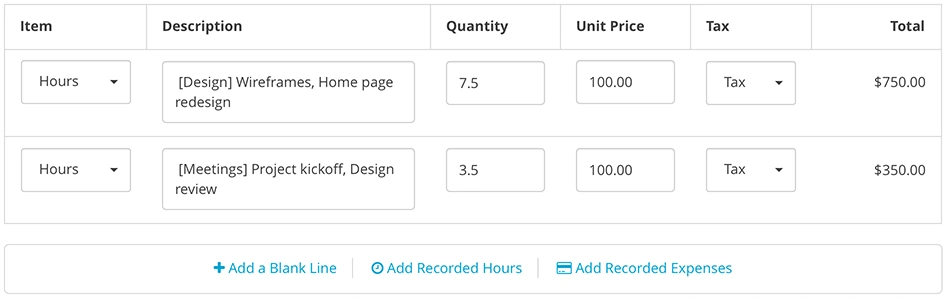
This comes in handy when you want to consolidate and avoid an overwhelming number of line items on your invoices. Enjoy!