
How do I track my client lead sources?
Not sure which one you're using? The new interface has a dark sidebar and /app/ in the web address; the classic interface has a bright blue sidebar. You can switch at any time: in the new interface, click your name (top right) and choose Switch back to classic; in the classic interface, hover your avatar (bottom left) and choose Try the new Harpoon.
Each client you add to your Harpoon account can be assigned a “lead source” to help you track where that client came from, and ultimately how much revenue your various lead sources are generating for your business. You manage your lead sources in the Lead Sources section of your General Settings screen (Settings → General).
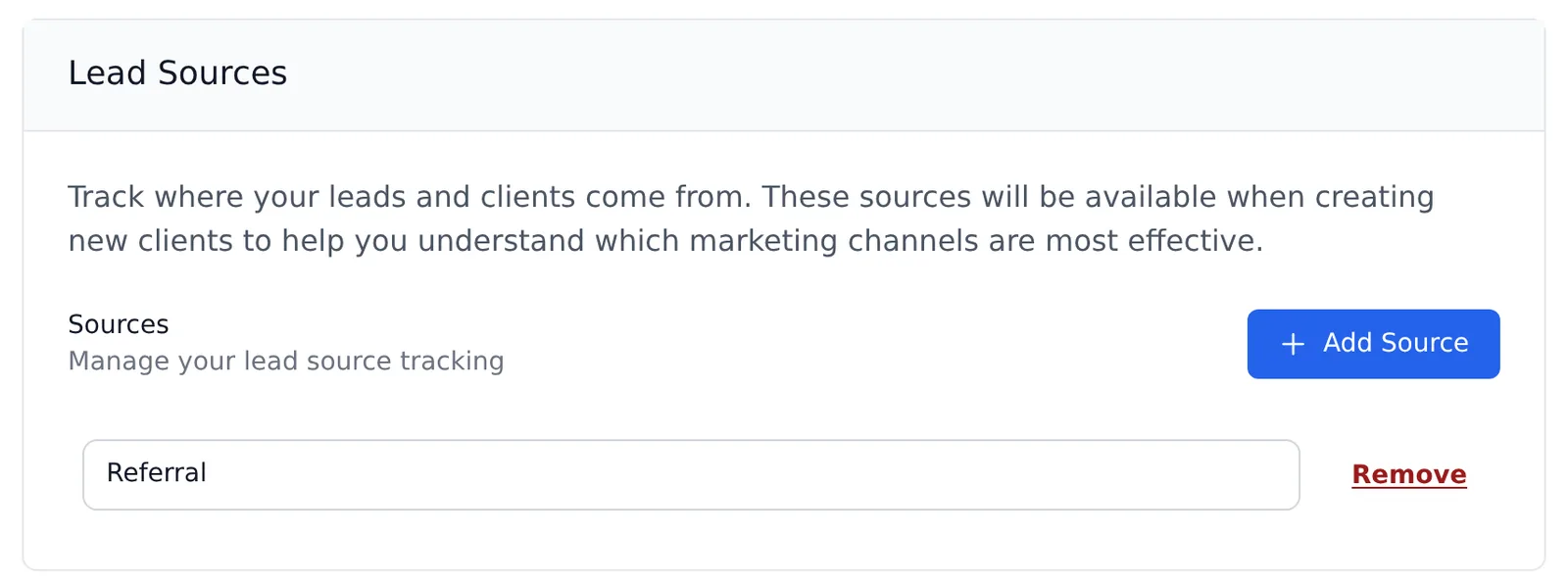
Click Add Source to add a new lead source, edit the name of an existing one, or click Remove to delete one, then click Save Changes. Make the list as specific as you like. For example, maybe “Email” is a way you generate client leads. Or maybe instead of simply “Social Media” you’d like to compare one social media platform to another by adding each platform as a separate lead source.
When you create or edit a client, simply select the appropriate Lead Source for that client. In other words, how did you find this client, or how did they find you?
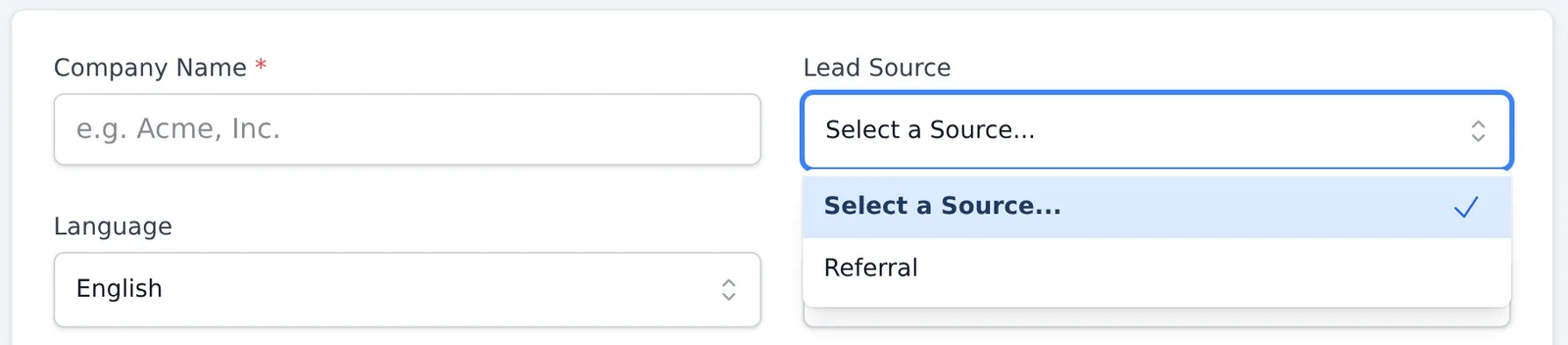
Assigning each of your clients a lead source lets Harpoon track which lead sources have been the most successful over time. For example, on your Dashboard you’ll find a Top Lead Sources widget that shows the amount of revenue each lead source has generated (including its percentage of overall revenue) for the selected year. Revenue from clients without a lead source is grouped under Undefined, in both the widget and the report.
For even more detail you can run the Lead Sources report (Reports → Lead Sources), where you control the date range and see how much revenue each client contributed to each lead source. You can download the report with the Download menu.
This type of information is invaluable when deciding where to invest in finding new clients. For example, if you notice that last year’s highest percentage of revenue came from networking, it might be wise to attend more meetups or conferences this year. Or maybe you’ve spent a lot on advertising in the past, but Harpoon shows that very little revenue came from that lead source. That might be a sign your money could be better spent elsewhere.
Each client you add to your Harpoon account can be assigned a “lead source” to help you track where that client came from and ultimately how much revenue your various lead sources are generating for your agency. These lead sources can be customized on your General Settings screen:
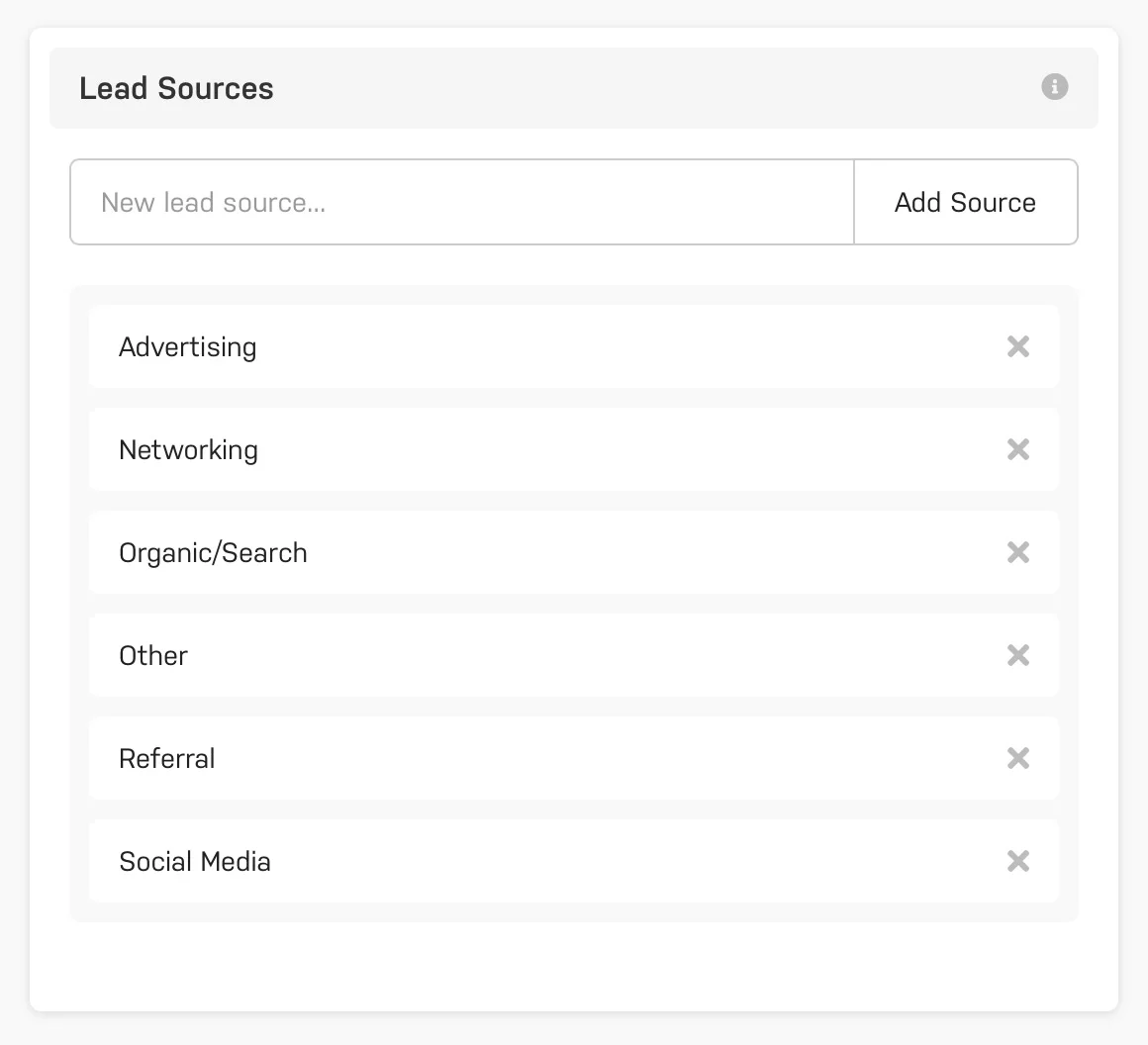
Some high-level default categories have already been created for you. But feel free to customize this list with more specific sources. For example, maybe “Email” is a way that you generate client leads for your agency. Or maybe instead of simply “Social Media” you’d like to compare the results of one social media platform to another by adding “Facebook” and “Twitter” as separate lead sources.
When you create or edit a client simply select an appropriate lead source for the client. In other words, how did you find this client, or how did they find you?
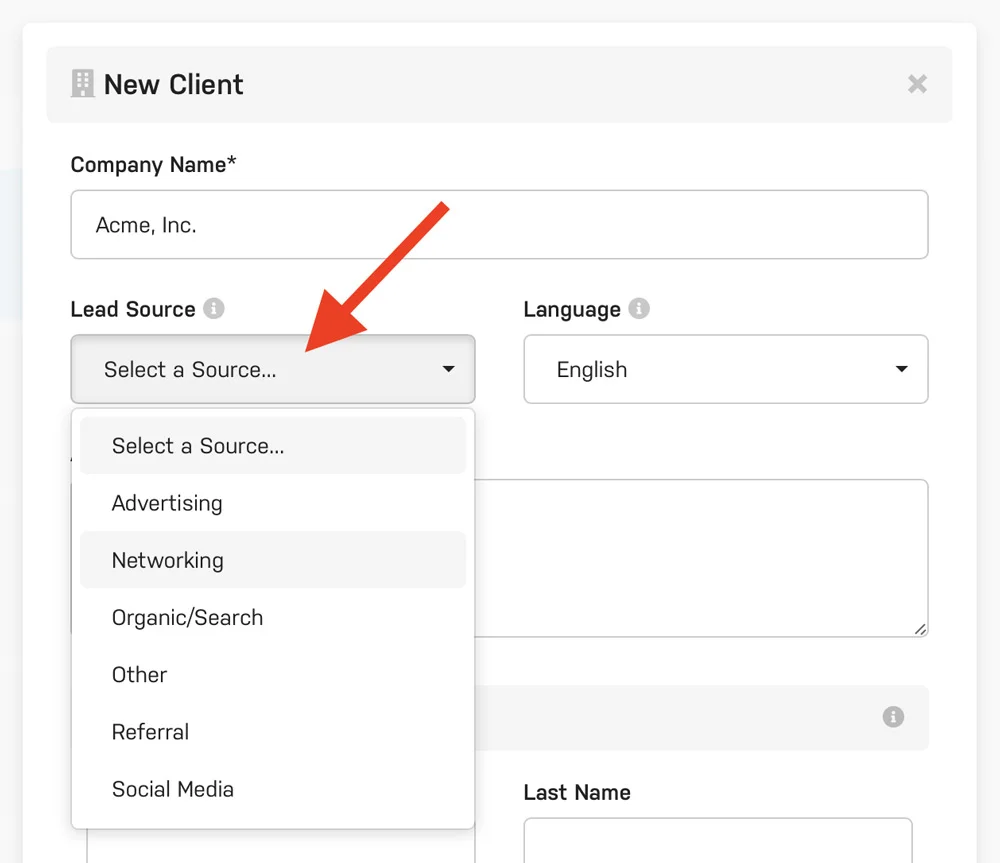
Assigning each of your clients a lead source will allow Harpoon to track which of your agency’s lead sources have been the most successful over time. For example, on your Dashboard you’ll find a Top Lead Sources widget that displays the amount of revenue each lead source has generated (including the percentage of overall revenue) for the selected calendar year:
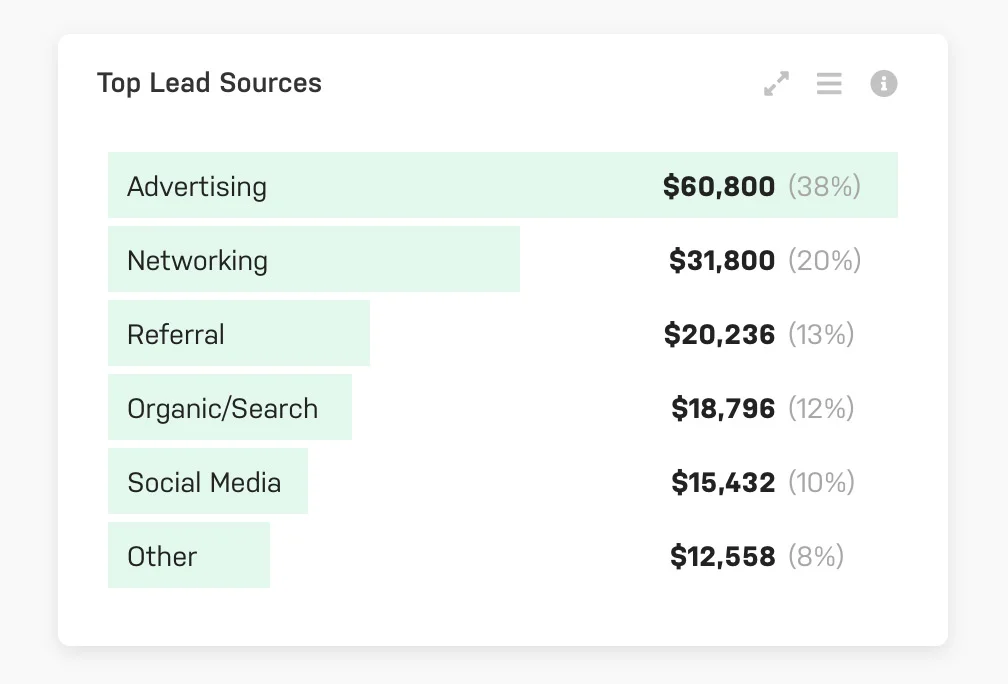
For even more details you can generate a Lead Sources Report, where you’ll have control over the date range of the report along with more detail regarding each client’s revenue contribution to each lead source.
This type of information is invaluable when determining where to invest your agency’s lead generation resources. For example, if you notice that last year’s highest percentage of revenue came from Networking then it might be wise to invest in attending more meetups or conferences this year. Or maybe you've spent a lot of money on Advertising in the past, but Harpoon is showing you that very little revenue has been generated from that lead source. That might be a sign that your money could be better spent elsewhere.