How do I track the internal hourly cost rates for my team members?
Not sure which one you're using? The new interface has a dark sidebar and /app/ in the web address; the classic interface has a bright blue sidebar. You can switch at any time: in the new interface, click your name (top right) and choose Switch back to classic; in the classic interface, hover your avatar (bottom left) and choose Try the new Harpoon.
In Harpoon you can calculate the true cost of your client projects by tracking hourly cost rates.
What is an hourly cost rate? It’s the internal hourly cost your business incurs for the services it provides.
For example, say your staff designer spent 5 hours designing a web page for your client. You might charge your client $100/hour for that work. That’s your business’s hourly rate. But you also need to pay your staff designer for the work they produced. The internal cost of your staff designer is the hourly cost rate. Ideally the hourly rate you charge your clients is greater than the internal hourly cost rate of the work produced. Otherwise you won’t be making a profit on the work.
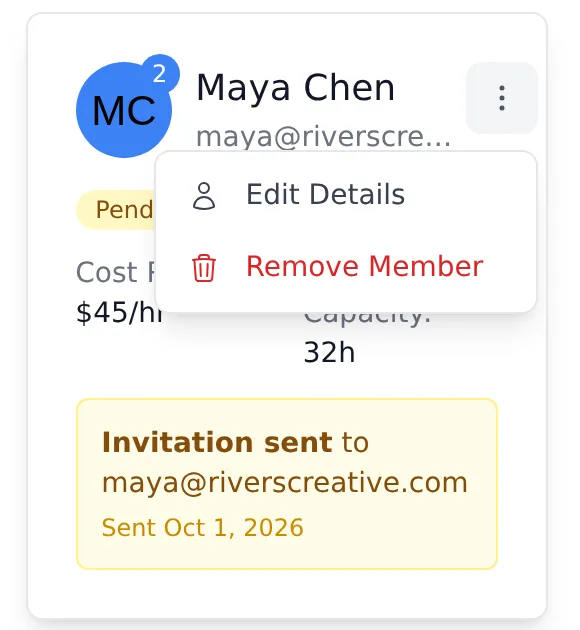
You set the default hourly cost rate for each team member on your Team screen (your name in the top right → Account → Team). If you’re the account Owner, click the menu (three dots) on a team member’s card and choose Edit Details. (In the new interface only the Owner sees this menu.)
Enter their Cost Rate (per hour) and click Update Member. You can also set it when you first invite someone.
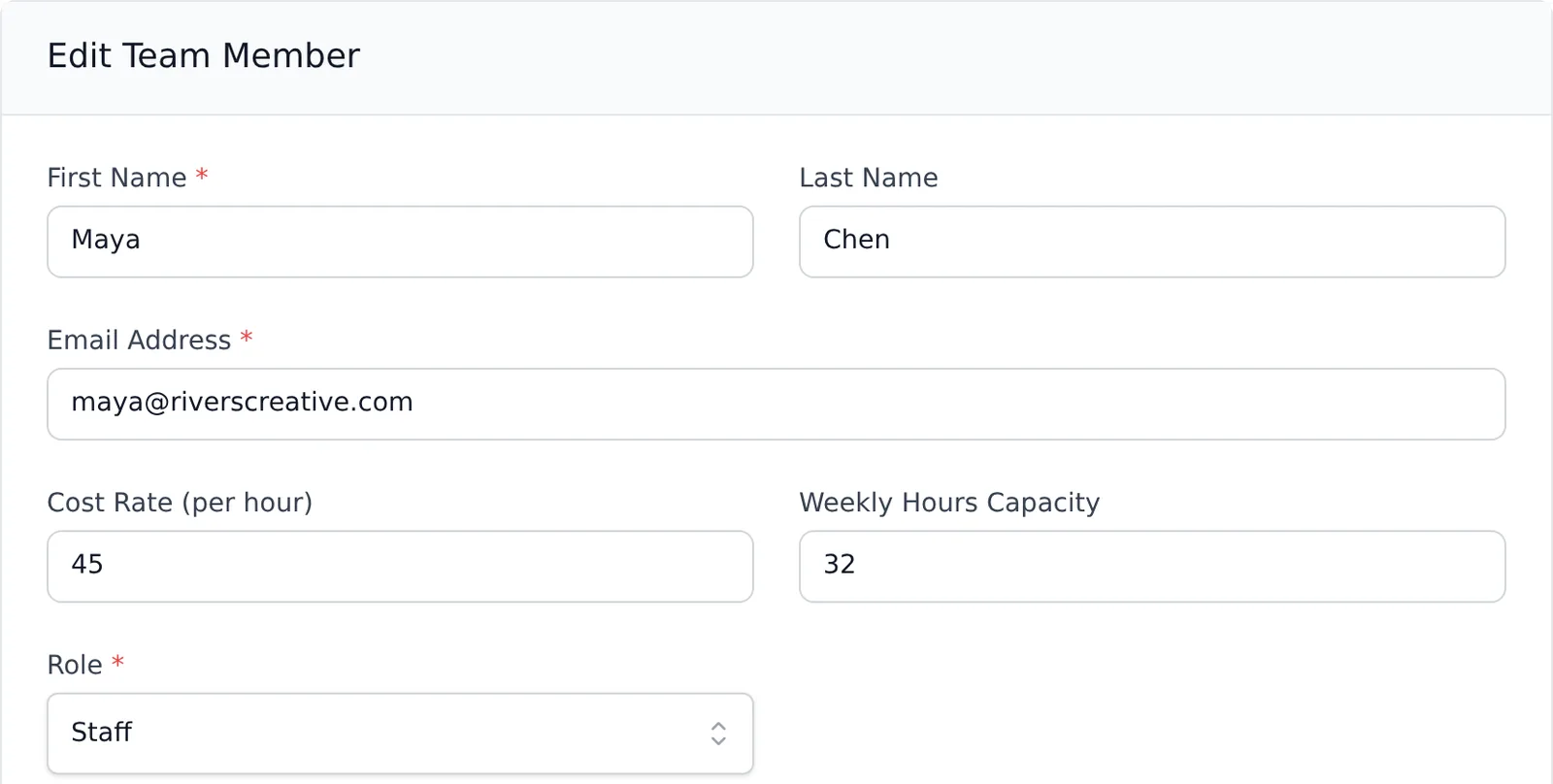
The cost rate you set here is used as the team member’s default rate when you create new projects.
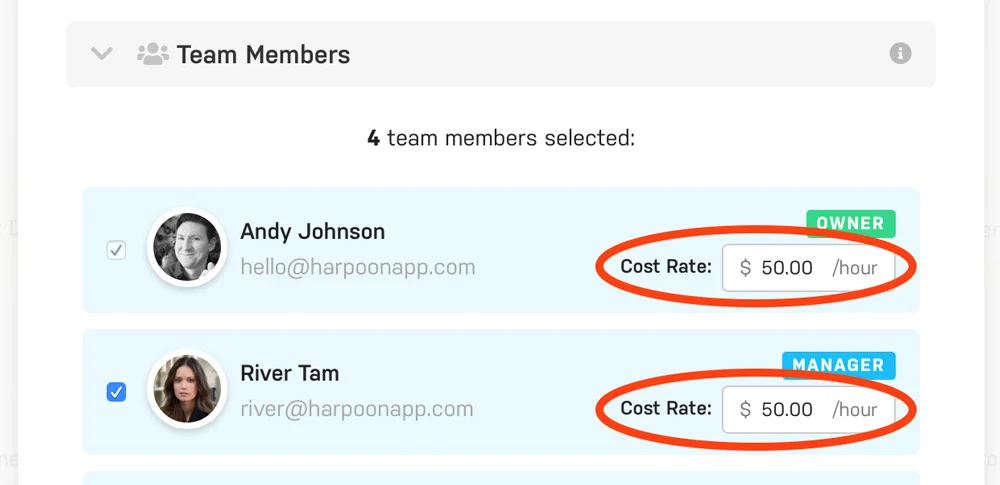
Cost rates can be further customized per project. When creating or editing a project, adjust each team member’s Cost Rate in the Team Members section of the project form and save the project. Changes there only apply to that project. If you leave a team member’s rate untouched, the project keeps using their default rate.

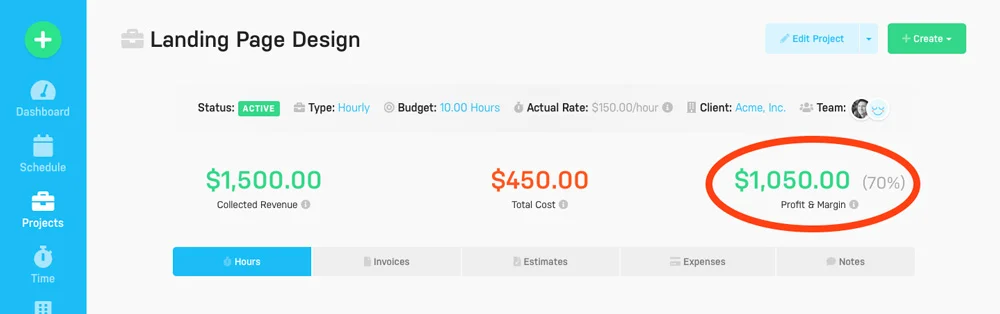
The end result is that Harpoon can calculate the true cost of your projects. For example, if your team spent 10 hours on a project at an average hourly cost rate of $45/hour, the cost your business incurred for those 10 hours would be $450. Harpoon combines that amount with any non-labor expenses you’ve recorded for the project (e.g. fonts, stock photography, etc.) to give you the project’s total cost, shown as Total Cost on the project’s details screen.
And with the true cost, Harpoon can show an accurate profit for your project, including its margin, under Profit & Margin on the project’s details screen.
In Harpoon you can calculate the true cost of your client projects via hourly cost rate tracking.
What is an hourly cost rate? It's the internal hourly cost your business incurs for the services it provides.
For example, let’s say your staff designer spent 5 hours designing a web page for your client. You might charge your client $100/hour for that work. That’s what’s commonly referred to as your business’s hourly rate. But you also need to pay your staff designer for the work they produced. The internal cost of your staff designer is referred to as an hourly cost rate. Ideally the hourly rate you charge your clients will be greater than the internal hourly cost rate of the work produced. Otherwise you won’t be making a profit on the work.
In Harpoon you can control the default hourly cost rate for each of your team members by editing a team member on your main Team screen:
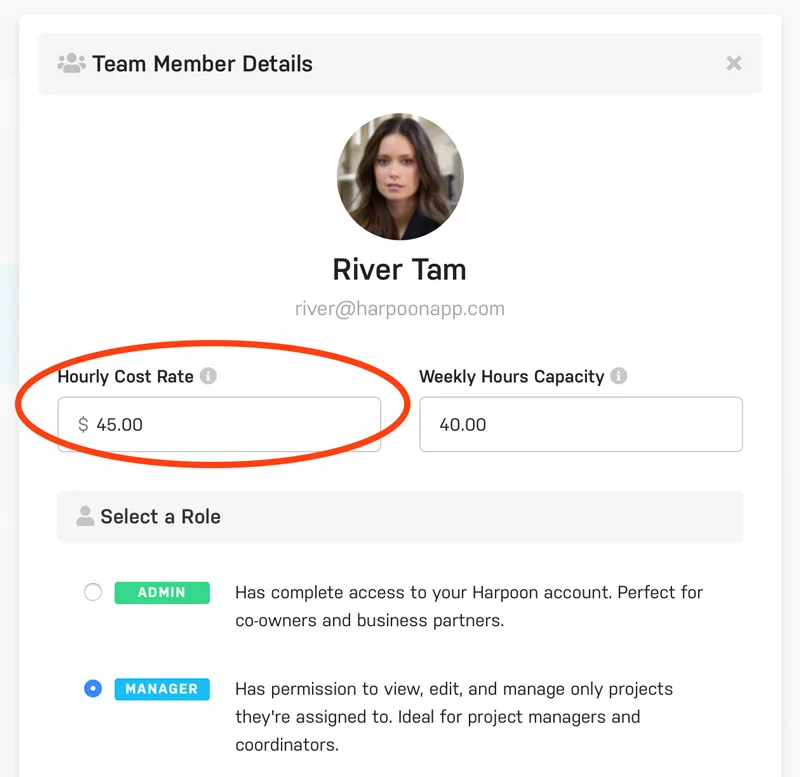
The hourly cost rate you set here will be used as the team member’s default rate when creating new projects.
Hourly cost rates for each team member can be further customized on a per project basis. When creating or editing a project simply adjust your team members’ cost rates as needed within the Team Members section like so:
The end result is Harpoon being able to accurately calculate the true cost of your projects.
For example, if your team spent 10 hours on a project at an average hourly cost rate of $45/hour, the cost your business incurred for those 10 hours would be $450. Harpoon combines that amount with any non-labor expenses you have recorded for the project (e.g. fonts, stock photography, etc.) to give you the total true cost of the project:
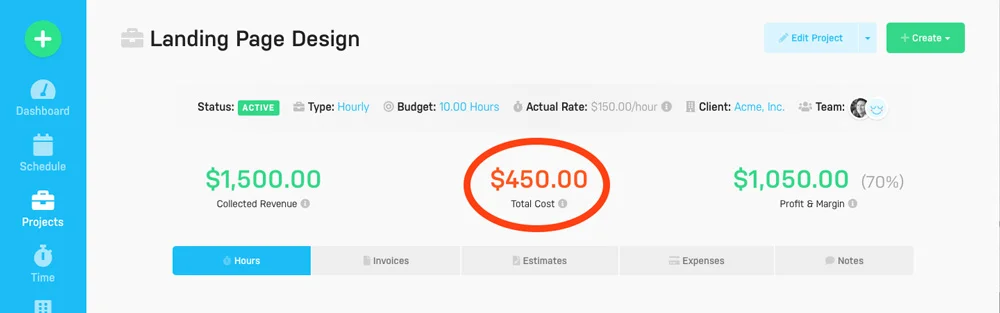
Of course having this true cost also allows Harpoon to provide you an accurate Profit & Loss calculation for your project, including the project’s resulting Profit Margin: