
Does Harpoon handle ongoing retainer projects?
Not sure which one you're using? The new interface has a dark sidebar and /app/ in the web address; the classic interface has a bright blue sidebar. You can switch at any time: in the new interface, click your name (top right) and choose Switch back to classic; in the classic interface, hover your avatar (bottom left) and choose Try the new Harpoon.
Yes. By "retainer" we mean client work you're usually paid for ahead of time, often on a repeating schedule (for example, billed at the start of each month for that month's work). A retainer may also have no set end date. Harpoon handles this in three areas: scheduling, budgeting and invoicing.
Scheduling
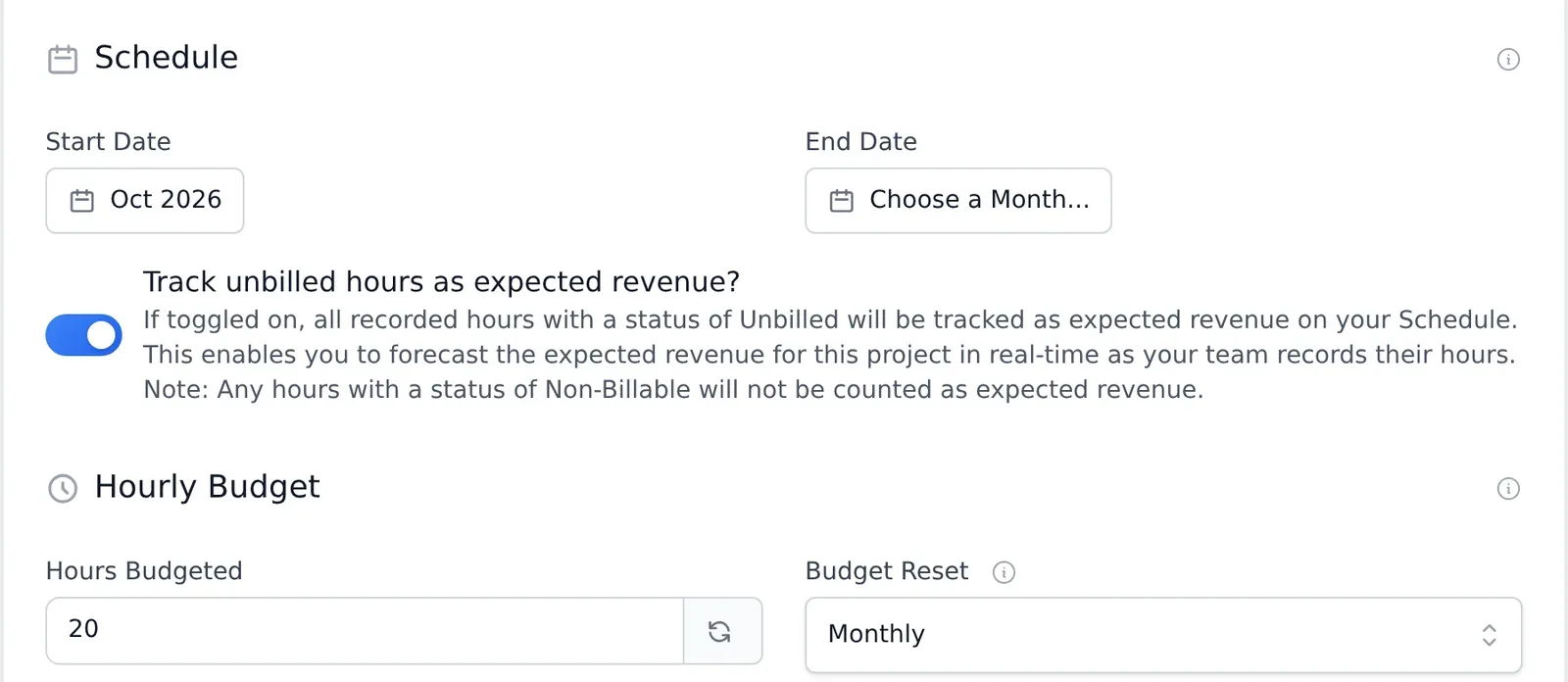
When you create or edit a project, the Start Date and End Date set which months it's blocked out on your Schedule. For an ongoing retainer, set the Start Date and leave End Date empty. The project is then blocked out on your Schedule from the start month onward, with no end. (To keep a project off the Schedule entirely, leave both dates empty.)
Budgeting
In the project's budget section, enter Hours Budgeted and choose a Budget Reset of Daily, Weekly or Monthly. For example, if you've agreed to up to 40 hours a month, enter 40 and choose Monthly. Harpoon tracks your hours against that budget during the month and starts the budget fresh each new month.
For a Fixed Fee retainer, enter the fee in Amount Budgeted (the budget section is labeled Fixed Fee Budget for Fixed Fee projects) and choose the Budget Reset the same way.
A reset never deletes any tracked time. Only the budget progress starts over, so you can see how much time you have left for the current month, week or day.
Invoicing
Nothing special is needed. For a one-time retainer, create a regular invoice that charges your client up front. For an ongoing retainer, a recurring invoice can go out automatically on the schedule you choose (for example, the start of each month) and can even charge your client's card automatically.
Harpoon handles a variety of projects including ongoing retainers. People have different definitions of what a “retainer” is, but in this case we’re referring to client projects where you’re typically paid ahead of time for the work to be performed, and those payments might also be in recurring intervals (weekly, monthly, etc.). For example, in a monthly retainer you might bill at the beginning of each month for the work to be performed that month. The client is paying ahead of time for the privilege of “retaining” you for a set amount of time.
Another unique aspect of a retainer is that the length of the retainer might be unknown. For example, you might have a monthly retainer start on a certain month, but since the relationship with the client is “ongoing” you might not have a specific end date for the retainer. Harpoon handles all of these nuances.
Harpoon handles ongoing retainers in three categories: Scheduling, Budgeting, and Invoicing.
Scheduling
When you create a new project Harpoon asks you for a Start Date and an End Date. These dates determine when the project will be blocked out on your Schedule.
In the case of an ongoing retainer with a client you might know when it begins, but since it’s “ongoing” the end date might be unknown.
If you’d like this type of project to be blocked out on your Schedule you can simply leave the end date field blank. This will block out the project on your Schedule indefinitely beginning with the start date. (Note: if you'd rather a project not be blocked out on your Schedule at all you can leave both date fields empty.)
Budgeting
When creating a project you have the option to enter an Hourly Budget (for Hourly project types) or a Fixed Fee Budget (for Fixed Fee project types). For both Hourly Budgets and Fixed Fee Budgets you'll have the option of setting a "Budget Reset" for the project budget. A Budget Reset will automatically "reset" your budget on a repeating daily, weekly, or monthly basis. For example, if you've agreed with your client to work a maximum of 40 hours each month on an Hourly project you can enter "40" into the Hours Budgeted field when creating or editing a project, and set your Budget Reset to "Monthly." Harpoon will then budget 40 hours/month for the project, track your progress against that 40 hours during the month, and reset that budget at the start of each new month.
Despite what option you select for the Budget Reset you’ll never lose your actual time-tracking history. All time tracked will always be saved. It’s only the recorded hours progress and budget that’s reset every month (or every week or every day). This allows you to see how much time you have left to give to a project for that month (or week or day).
Invoicing
There are no secrets to invoicing for ongoing retainer projects. Harpoon’s invoices are flexible enough that you can create them the way you want, and send them when you want. For a one-time payment retainers you can simply create a one-off invoice for your client charging them ahead of time for the work you've agreed to perform for the retainer. For an ongoing retainer we might recommend creating a recurring invoice that automatically gets sent to your client on the schedule of your choosing (e.g. at the beginning of each month) and can even be set up to accept automatic payments from your client's credit or debit card. Other than that there’s nothing unique about invoicing for retainers in Harpoon other than the invoices are typically sent before you do the work vs. after.