
How do I add a payment to an invoice?
Not sure which one you're using? The new interface has a dark sidebar and /app/ in the web address; the classic interface has a bright blue sidebar. You can switch at any time: in the new interface, click your name (top right) and choose Switch back to classic; in the classic interface, hover your avatar (bottom left) and choose Try the new Harpoon.
Payments your clients make online through Harpoon's payment form are recorded automatically and applied to the invoice.
If you were paid by check or some other way, you can record the payment yourself. Open the invoice, click the actions menu (the three dots at the top right) and choose Manage Payments.
In the Manage Payments window, fill out Record New Payment:
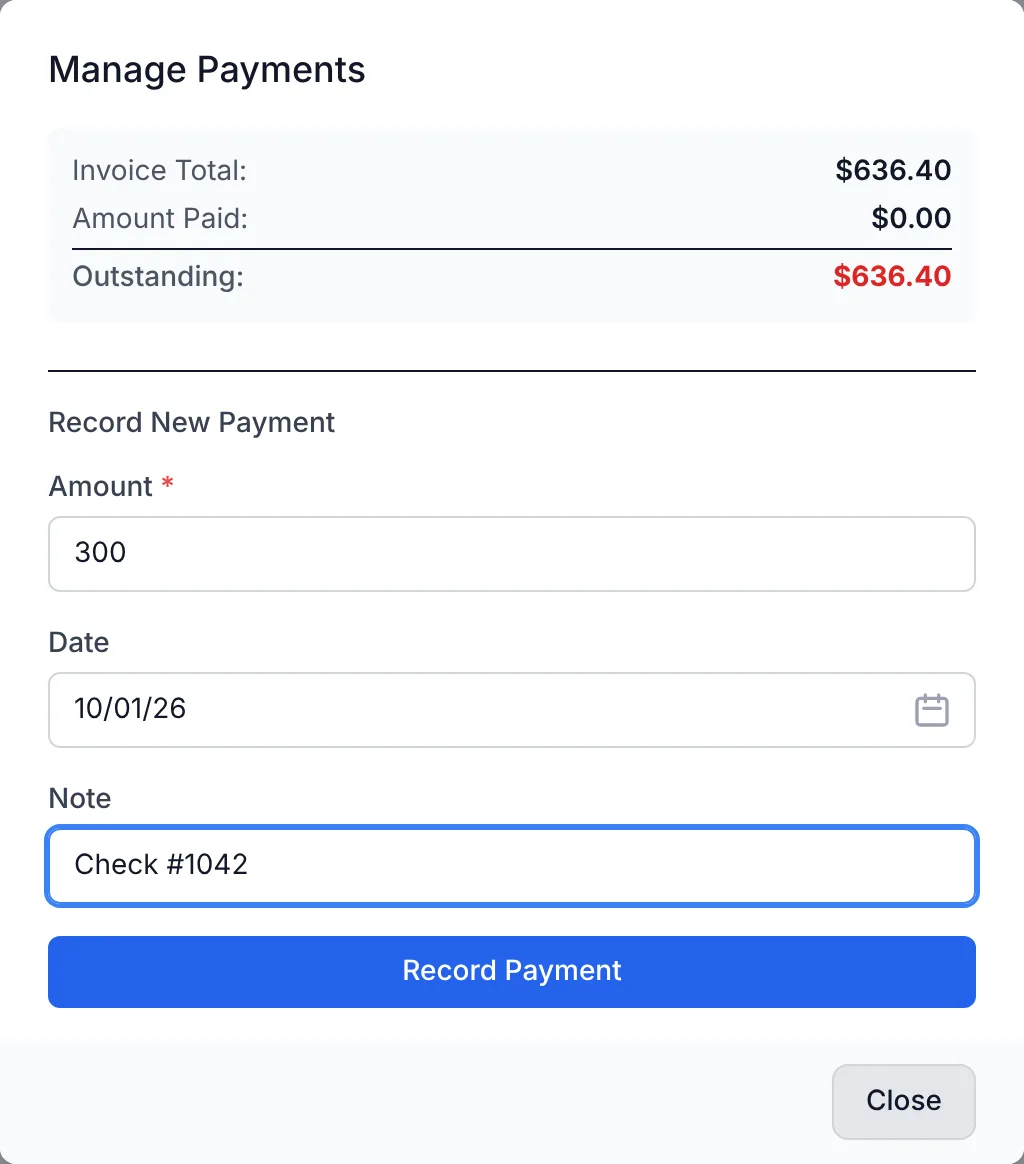
- Amount: The amount you received. It can be up to the outstanding amount on the invoice.
- Date: The date of the payment. It defaults to today.
- Note: An optional note, like a check number.
Click Record Payment. The payment is added to the Recorded Payments list and the amount paid and outstanding totals update. Online payments for the invoice are listed here too. To remove a payment, click Delete next to it.
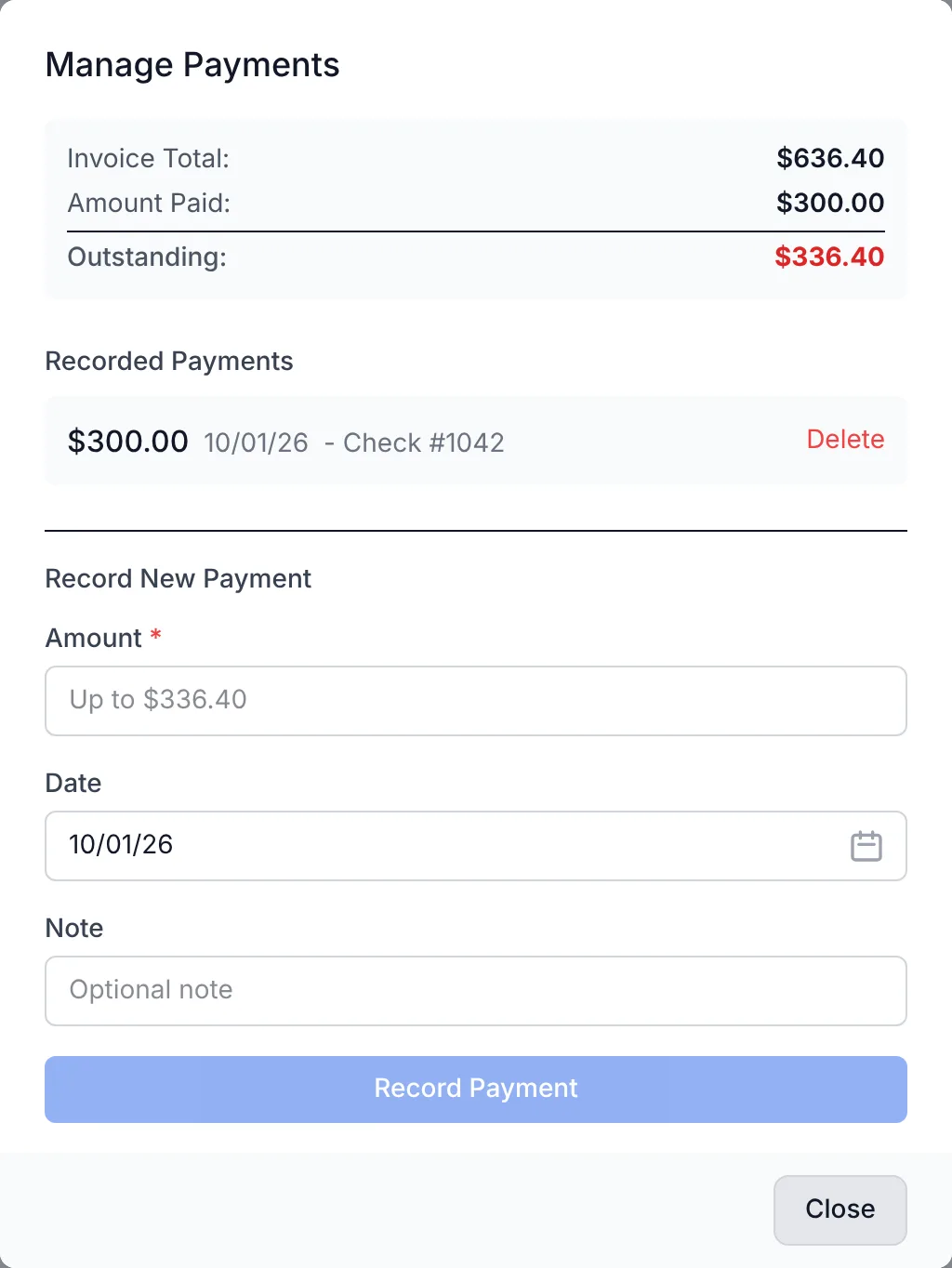
Note: In the new interface you can't record a payment larger than the outstanding amount, and there's no option to apply a client's credit to an invoice yet. To do either, switch to the Classic interface (click your name at the top right, then Switch back to classic). Learn more about managing client credit.
To learn more about invoicing, visit the Invoices support articles.
Any invoice payments from your clients collected online via Harpoon’s online payment form will automatically be recorded by Harpoon and applied to the invoice.
If instead you received your payment via check or another means you can manually record the payment by visiting the Invoice Details screen for the invoice and clicking on the Add a Payment action in the Actions menu.
You’ll be presented with a Manage Payments form.
Here you’ll be able to record new payments and view past payments from your client for the invoice. Any online payments for the invoice will automatically be recorded for you and listed here as well.
To learn more about invoicing visit the Invoices support articles.