Download it as a Word, Excel or PDF file, or fill it in right here and save the PDF.
Free. No signup. No watermark.
Word to edit the wording and layout, Excel with formulas that total the invoice for you, or PDF to print and fill in by hand.
Free. No email address required. The files contain no macros.

A template cannot number itself, remember what a client owes, or chase a late payment. Harpoon does, and it turns tracked hours into an invoice in one click. Try it free for 14 days.
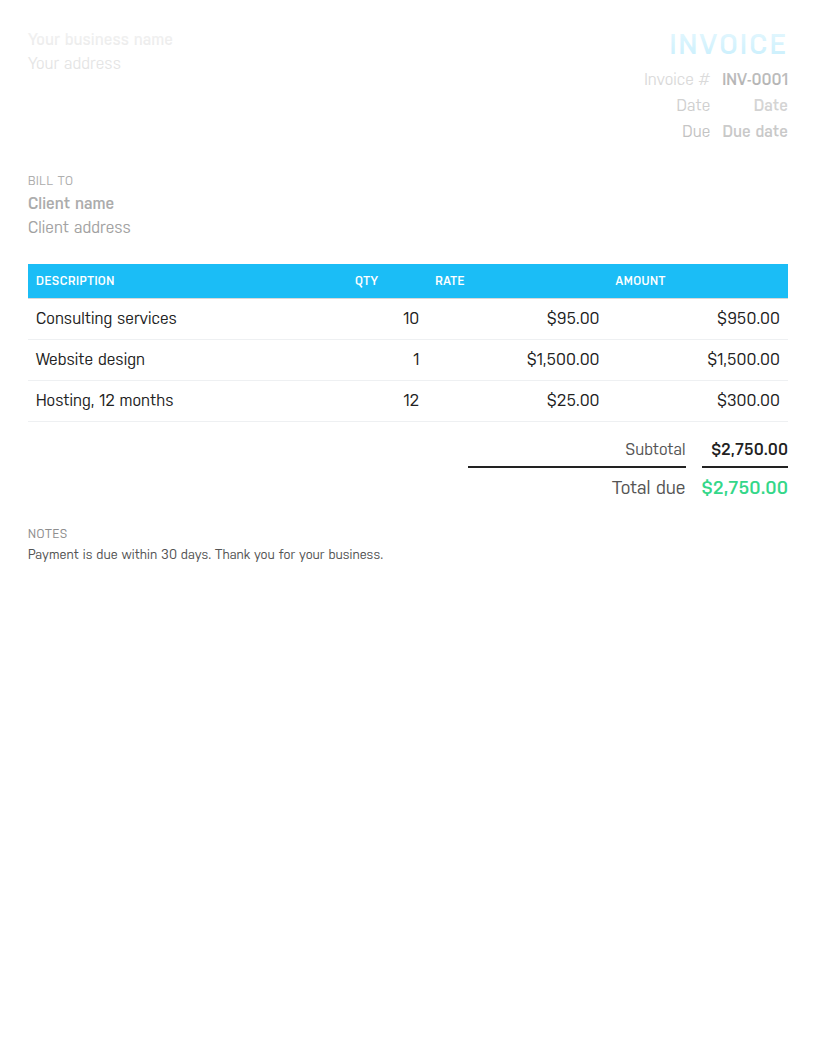
All three files have the same layout: your details top left, the invoice number and dates top right, a bill-to block, a line item table, the totals and a notes area. They differ in what you can do with them.
If you would rather not download anything, the builder further down this page fills in the same layout in your browser and saves a PDF. Nothing you type is uploaded.
An invoice needs to answer four questions without a follow-up email: who is billing whom, for what, for how much, and by when. The template puts your business name and contact details top left, with space for a logo. Top right is the invoice number, the issue date and the due date. Below that is the bill-to block for the client. The table has a description, quantity, rate and amount for each line, followed by subtotal, discount, tax and the total due. The notes area at the bottom is for payment instructions and terms.
The sample lines show a typical mix: consulting hours, a fixed-fee design item and a monthly hosting charge. Replace them with your own.
Give every invoice a unique number in sequence, such as INV-0001, then INV-0002. Date it the day you send it, and set a due date that matches the terms you agreed. Net 30 is the usual default; net 14 or due on receipt are common for small jobs. Describe each line specifically. A client will approve Homepage redesign, two rounds of revisions without a question and will query Design work. For hourly work, put the hours in the quantity column and your rate in the rate column. A fixed fee is a quantity of 1.
Take any discount off the subtotal before tax, because tax is due on what the client actually pays. Then say how to pay. Bank details, a payment link or the methods you accept go in the notes, with the terms restated in one line.
A template works well for a handful of invoices a month. The trouble starts when you have to remember which number you used last, which clients have paid, and who is 20 days overdue. At that point you are keeping a second set of records somewhere, and that is the job invoicing software does. Harpoon numbers invoices for you, pulls in tracked hours, sends reminders and shows what is outstanding, and it forecasts whether the year is on track.
Need empty rows to write on? Use the blank invoice template. Billing hourly and project work as a freelancer? The freelance invoice template is set up for that. To make a one-off invoice without downloading anything, use the free invoice generator. Total your hours first with the timesheet calculator. If you are new to client paperwork, our guide on what client paperwork to prepare covers proposals and contracts too. And Harpoon's invoicing does all of this once you are ready.
Hours Calculator · Time Card Calculator · Time Clock Calculator · Timesheet Calculator · Yearly Revenue Goal Calculator · Invoice Generator · Invoice Template · All free tools