
Coverage, second shooter, gallery, prints: the lines a photography invoice actually needs. Download it or fill it in here.
Free. No signup. No watermark.
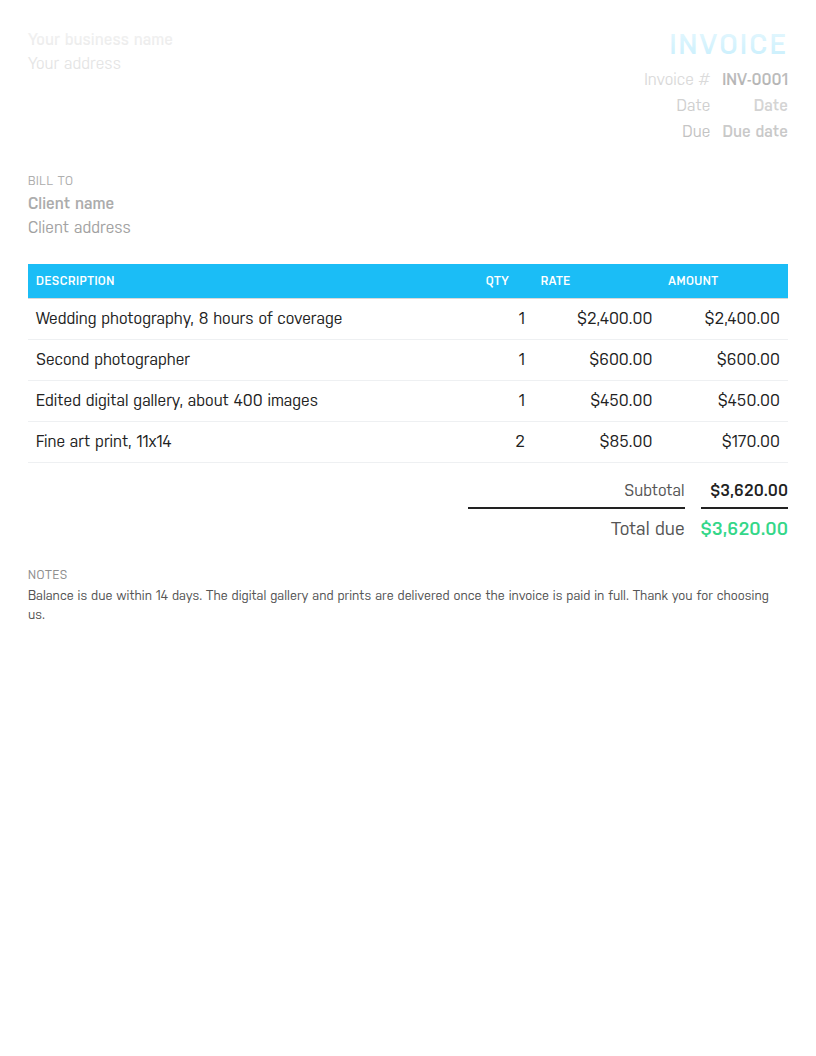
Word to edit and reuse, Excel with formulas that total the invoice for you, or PDF to send as is. Sample lines cover a wedding: coverage, a second shooter, the gallery and prints.
Free. No email address required. The files contain no macros.

The template cannot remind you which retainers are in, which balances are due before the event, or what the year looks like once the busy months end. Harpoon does. Try it free for 14 days.
A photography invoice has to explain a day of work and a stack of deliverables to a client who is often paying the largest creative bill of their year. It needs the session as a line of its own, with the hours of coverage in the description so nobody argues later about overtime. It needs anything extra you brought, such as a second photographer or a lighting kit, as its own line. It needs the deliverables spelled out: how many edited images, in what form, by when. And it needs the money story in one place: what was paid at booking, what is due now, and what happens to the gallery until it is paid.
This template is set up that way. The sample lines are eight hours of wedding coverage, a second photographer, an edited digital gallery of about 400 images, and two fine art prints. The notes say the balance is due within 14 days and that the gallery and prints are delivered once the invoice is paid in full. Change all of it to match your packages.
Most photographers take a retainer at booking and invoice the balance before or just after the shoot. Show that on the invoice so the client sees the whole picture: put the full package on the line items, then add a line called Retainer received at booking with a quantity of 1 and the retainer as a negative rate, for example -1,000. The total then shows only what is still due. If you prefer to keep retainer and balance on separate invoices, number them in sequence and say balance for invoice INV-0041 in the notes.
Delivery terms belong on the invoice too. A single line such as Gallery delivered once paid in full avoids the awkward conversation when a client asks for the images before settling up.
Say you shot a wedding with eight hours of coverage at 2,400, brought a second photographer for 600, edited a gallery for 450, and the couple ordered two 11x14 prints at 85 each. The lines come to 3,620. If your state charges 8.25 percent sales tax on photography services, the tax line is 298.65 and the total due is 3,918.65. The Excel file and the online builder work all of that out as you type, and the template shows the discount line only if you use one.
Give every invoice a unique number in sequence, such as INV-0001 then INV-0002, and keep the retainer and balance invoices for one wedding next to each other in that sequence. Date the invoice the day you send it, and set the due date to match what the contract says: 14 days before the event is common for balances, due on receipt for print orders. Put the terms in one line in the notes so the client sees them without opening the contract, and add your tax registration number there if you are registered.
For hourly and project work outside photography, use the freelance invoice template. Designers should look at the graphic designer invoice template, and anyone building sites the web design invoice template. To make one invoice right now without downloading anything, use the free invoice generator. Harpoon's invoicing keeps retainers, balances and reminders in one place once you are ready.
Hours Calculator · Time Card Calculator · Time Clock Calculator · Timesheet Calculator · Yearly Revenue Goal Calculator · Invoice Generator · Invoice Template · All free tools