
How do I upgrade from a free trial to a paid subscription?
Not sure which one you're using? The new interface has a dark sidebar and /app/ in the web address; the classic interface has a bright blue sidebar. You can switch at any time: in the new interface, click your name (top right) and choose Switch back to classic; in the classic interface, hover your avatar (bottom left) and choose Try the new Harpoon.
At any point during or after your free trial you can upgrade to a paid subscription. Log in to your Harpoon account, click your name in the top right corner, choose Account, and then click Subscription to open your Subscription screen. (Only the account Owner can see this screen.)
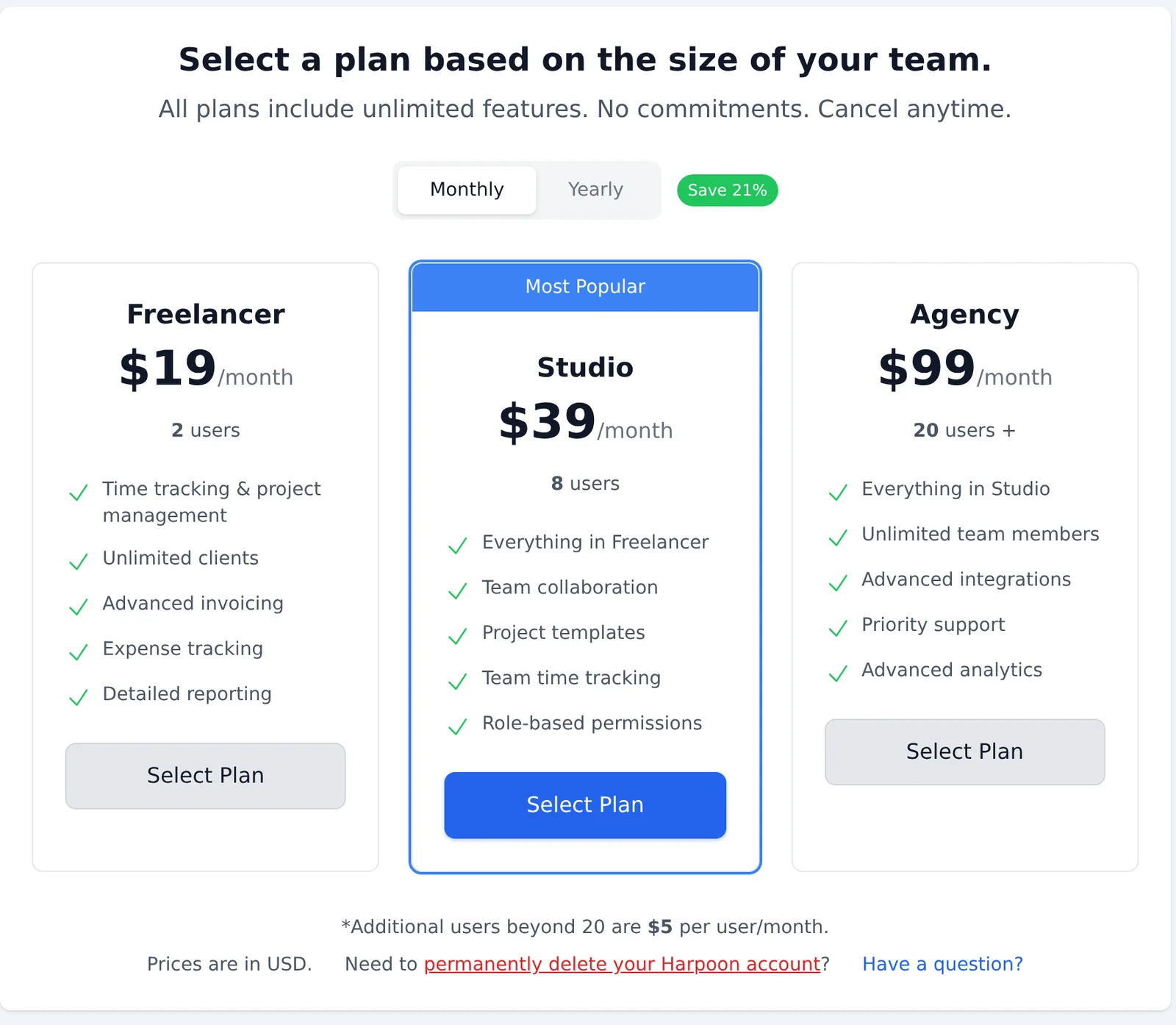
Choose Monthly or Yearly billing, then click Select Plan on the plan that fits the size of your team. Harpoon takes you to a secure checkout page where you enter your credit or debit card details. Once checkout is complete you’re returned to Harpoon with your new plan active.
If your team has more members than the plan allows, Harpoon will tell you how many team members to remove before you can choose that plan.
From then on your card is billed monthly or yearly, based on the plan you selected. You can cancel at any time from the same Subscription screen using the cancel your Harpoon subscription link at the bottom. To change the card you’re billed on, or to see your receipts, go to Account → Billing.
At any point during or after your free trial you can upgrade to a paid subscription by logging in to your Harpoon account and visiting your Subscription page. Here you’ll be able to select a subscription plan, fill out a credit/debit card form, and upgrade to a paid subscription. From that point on your credit/debit card will be billed monthly or yearly (based on the plan you selected) and you can cancel at any time using the same Subscription screen.